Teach, explain, and solve problems on the paper you already have, live in Teams, Zoom and Meet.
One person shares a screen while everyone else watches. And work on paper can't be shared in real time at all.
Tutors without a tablet can't actually teach online.
Students can't show where they're stuck, so help is slow.
Study groups can't work through problems together.
Screen-sharing in Teams & Zoom is one-way: one presenter, everyone else watching.
And most people simply don't own a tablet or stylus.
So people resort to snapping photos and explaining them after the fact.
And a tablet only fixes half of it. A tutor's iPad shows the tutor's work beautifully, but it does nothing to let the student show their messy attempt. For that, the student would need their own iPad. And students, overwhelmingly, don't have one.
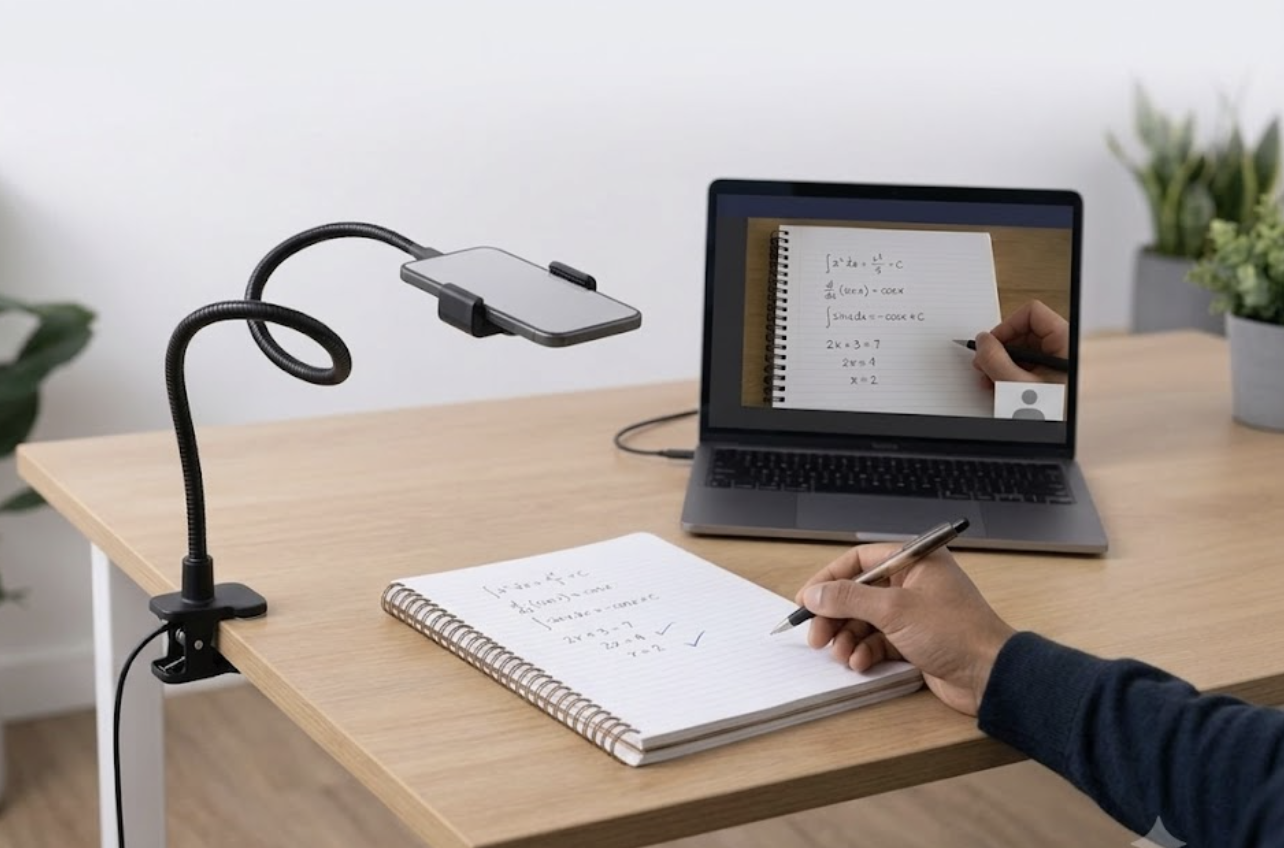
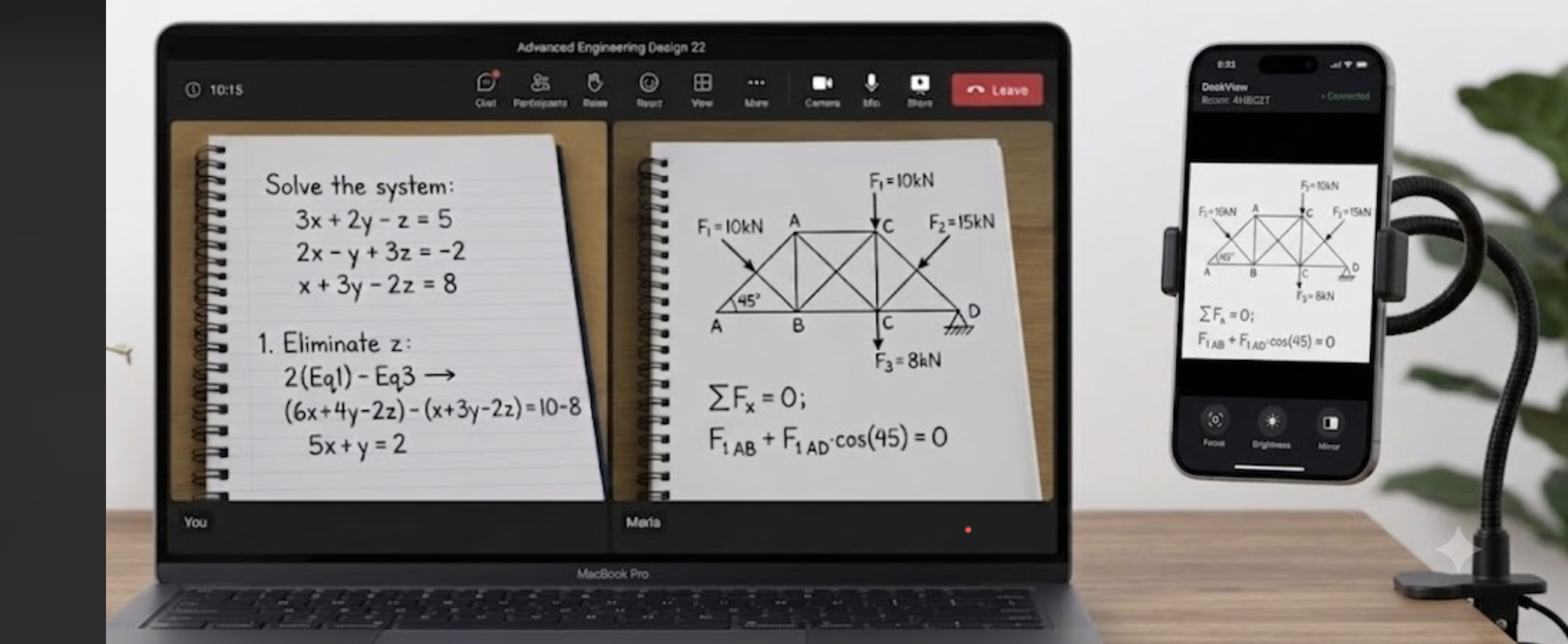
Point the phone you already have at your desk, and your work shows up live in the call, clear and big enough to read. Everyone can write, show, and compare their work at the same time, instead of taking turns to present.
Get this, not that:
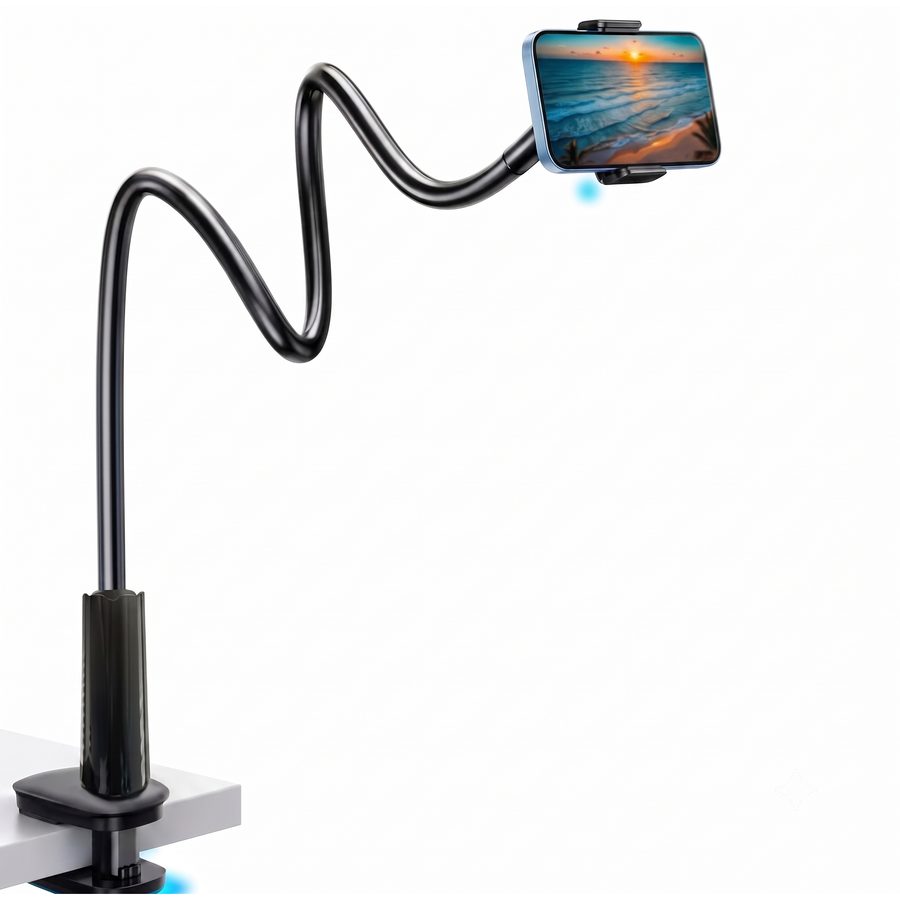
✓ Look for this
A clamp. It grips the phone firmly and holds it securely, whatever the weight.
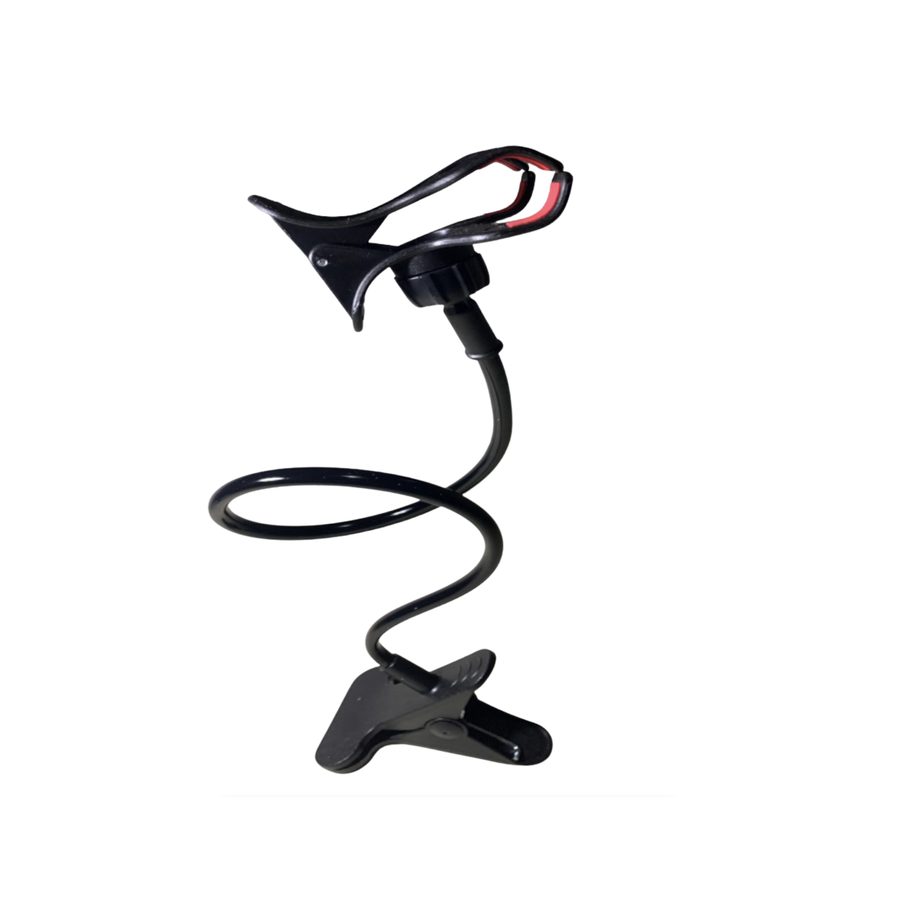
✕ Avoid this
A claw. It can't grip the phone properly, and in some positions it slips out and falls.
Shopping online? Here's one that works.
Here it is end to end: prop your phone over your desk, open DeskView, and your page is live in the call, big and clear.
Any phone in a stand, camera pointed down at your page.
The laptop shows a code, your phone scans it. Nothing installs on the phone.
Pick DeskView as your camera in Teams, Zoom or Meet. Your page is live.
DeskView installs on your laptop. Your phone installs nothing. It just scans a code the app shows you, and the app does the rest.
📱 Nothing is installed on your phone.
Your phone's only job is to scan the code your laptop shows you.
Start with a 14-day free trial, no card needed. You only pay if you choose to subscribe after the trial. Early supporters lock in the lower price for good.
Microsoft Teams, Zoom, Google Meet, Discord, or anything that lets you pick a camera. DeskView simply appears in the camera list.
No. DeskView installs on your laptop, never your phone. Your phone simply scans the code your laptop shows and taps "Allow". No app, no account on the phone.
All four. Any phone paired with a Mac or Windows laptop, in any combination.
Everything DeskView does today, plus every update during beta, and your R79/month is locked in even after the price rises to R109 at launch.
No. Signing up takes just an email and a password, no card, and you get 14 days of full access, free. When the trial ends, you only add a card if you want to keep using DeskView. If you don't, access simply stops and you're never charged. After you subscribe it's month-to-month, and you can cancel anytime.